The AI Enablement Brief · Aug 11, 2026
The Agent That Reads X So I Don't Have To
How one Claude Code feature turned my agents from tools I prompt into a team that delivers to me every morning.
I’ve been using /Loops since it came out on Claude Code earlier this year, and it’s completely changed how I run my agents.
Here’s the shift in one line: I spend a lot less time prompting, and a lot more time getting real value from the work the agents produce.
That sounds small. It isn’t. It’s the difference between AI that waits for you to ask and AI that shows up on its own.
From Prompting to Scheduling
For most people, using AI still means opening a window and typing. You have a question, you prompt, you get an answer, you close the window. The value only exists in the moment you go looking for it.
Loops flips that. Instead of pulling the AI toward a task, you schedule the task and let the agent run it on a loop. The work happens whether or not you’re sitting there.
A few of mine are simple. I have morning briefings that pull the relevant information across my calendar, my emails, and my Notion databases, so the day is already organized before I’ve had coffee. Others pull regular monthly reports on my financials and investment portfolio. Nothing exotic. Just recurring work that used to require me to remember to do it, now running quietly in the background.
Once you’ve felt that, the question stops being “what can I ask AI today?” It becomes “what do I want waiting for me tomorrow morning?”
Meet Sentry
By far my favorite use case is an agent I call Sentry.
Sentry is my personal research agent. Every day it surfaces the top news from a set of sources I trust, organized into the sections I actually care about: marketing, AI, paid media, SEO. Not a firehose. A briefing, shaped around my job.
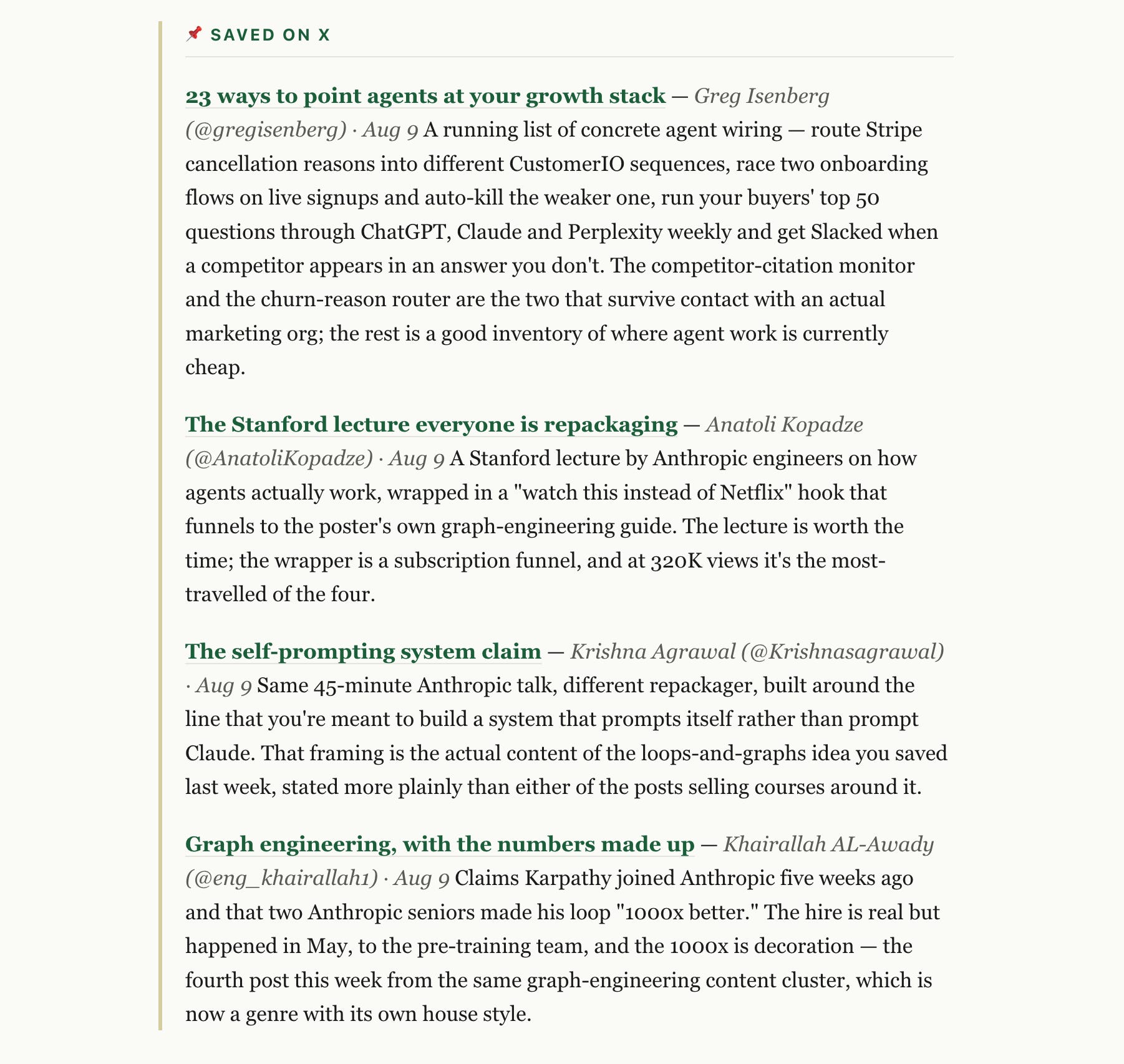
This week I added a new section, and it’s the one I’m most excited about. Sentry now pulls all of my bookmarked posts on X and summarizes the underlying articles in a neat, readable way.
That small addition solved a problem I’d been sitting with for a while.
The X Problem
A few people have asked me lately how I stay on top of AI news and tools. Here’s the honest answer, and the tension inside it.
X is one of the most underrated platforms for real-time insight into where the industry is moving: the shifts, the new tools, the models being released the day they drop. If you want to know what’s actually happening before it reaches a newsletter, it’s on X first.
But I can’t afford to spend my day scrolling X. Nobody serious can. The same platform that holds the best real-time signal also holds an infinite scroll designed to keep you there long after the signal is gone.
So I split the two. Throughout the day I spend a few minutes here and there, and when something looks genuinely worth reading, I drop it into my bookmarks. That’s the only manual step. From there, Sentry automatically pulls the latest ones, summarizes them, and delivers the whole thing to me via Telegram every morning.
I get the signal. I skip the scroll.
What to Build First
If you want your own version of this, don’t start by trying to replicate Sentry. Start with one recurring pull you already wish you had.
Pick something you do, or should do, every week: a performance recap, a competitor check, a summary of an inbox folder. Something with a clear input and a clear output. Get that one loop working end to end before you add a second.
Then be deliberate about delivery. The reason the X setup works isn’t the summarizing, it’s that the summary lands in Telegram, where I already look, at a time I’ll actually read it. An insight delivered to a place you never check is worth nothing. Send the output to where your attention already lives.
And keep the manual step where the judgment is. I still choose what to bookmark. The agent doesn’t decide what’s worth my attention; it just does the fetching, summarizing, and delivering once I have. That division is the whole trick: I keep the taste, the agent takes the busy work.
That’s the pattern underneath all of this. The value was never in me scrolling more, or prompting more. It’s in setting up the loop once, then letting it run.
It’s a nice way to get the value from X without spending the time scrolling.