Free QR Code Generator.
Make polished QR codes in your browser. Six formats — Apple Watch face, phone card, business card, Instagram square, Instagram story, iPhone wallpaper. Add a logo, pick dark or light, download as PNG. Nothing leaves your browser.
Optional: add text on the card
Output: 1080×1420 PNG · rendered in your browser
The QR code on my watch face
At SocialWest Calgary last week I got tired of typing my name into other people's phones every time I met someone. That night in the hotel I worked with Claude to build a QR code Apple Watch face that points to my site. The next day at the conference, people remembered the watch — and the moment.
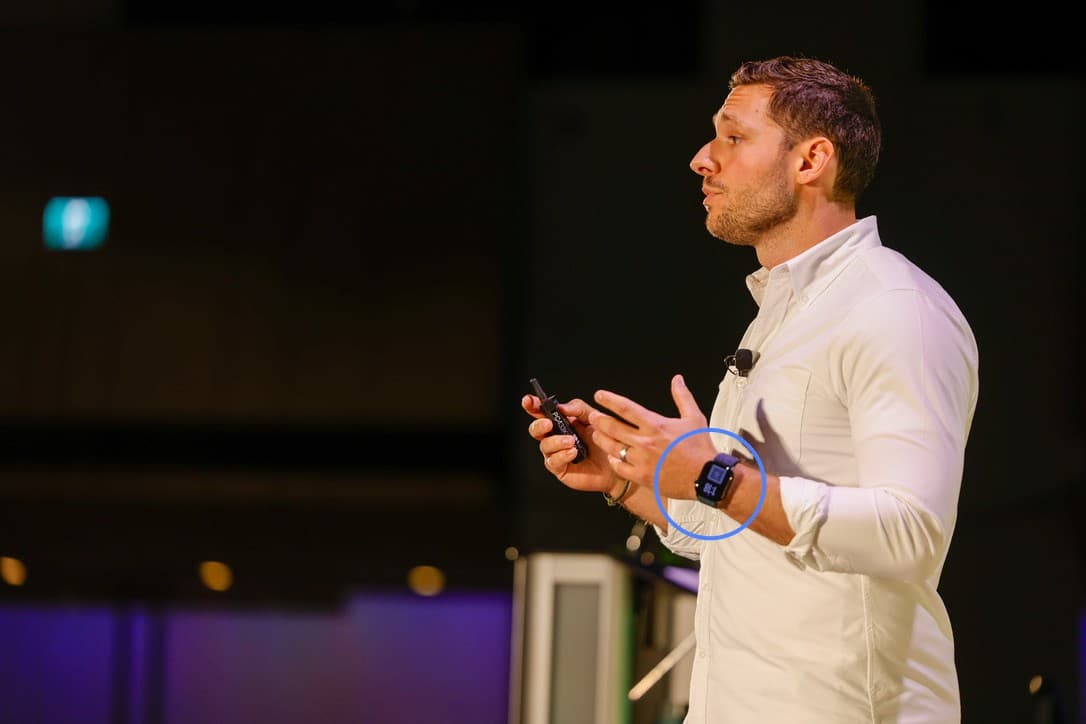
Here's what I noticed when I went looking for a generator first: every QR code site treats a QR code as a portable artifact — same image, anywhere. None of them think about where the QR is going to live.
A QR on your Apple Watch has to clear the watchOS clock zone. A QR on an iPhone lockscreen has to leave room for the clock and the bottom shortcuts. A QR on a business card needs 300dpi for print, not a screen-grab PNG. A QR on Instagram story has different framing than the same QR on a square post.
Most tools ignore all of that. This one builds context-aware QR codes— pick the format, get an artifact designed for the environment it'll live in.
A lot of people asked how to make their own. I could've just shared the prompt — but you'd be stuck tweaking it back and forth to make it yours. So I built you the tool instead. Pick your format, your colors, your URL. Download it. Free, in your browser, no login, no watermark.
Read the full story on Substack →Frequently asked questions
Is this QR code generator really free?
Yes. No signup, no payment, no watermark, no logo gating. The whole tool runs in your browser — no account required.
Do you store the QR codes I create or the URL I enter?
No. Everything runs client-side in your browser. The URL you enter and any logo you upload never leave your device. There is no server-side tracking of your QR codes.
Can I add my own logo to the QR code?
Yes. Upload a PNG or SVG using the "Center logo" field. When a logo is present the QR code automatically switches to high error correction (H) so it still scans reliably with the logo in the middle.
What is the best QR code format for a business card?
Use the Business card format (1050×600 px at 300 dpi — the standard 3.5"×2" print size). It places the QR on the right with room for a name, tagline, and URL on the left.
How do I make a QR code for my Apple Watch?
Pick the Apple Watch face format (410×502). The QR is automatically positioned in the lower half of the watch face so it sits below the watchOS clock zone. Download the PNG and set it as your watch face background.
Will the QR code still scan if I add a logo?
Yes — within reason. When a logo is added the generator switches to "H" level error correction, which can recover from up to 30% damage or obstruction. A logo covering 15–22% of the center is safe. A logo larger than 30% of the QR area may break scanning.
What is the difference between rounded, square, and dot styles?
It is purely aesthetic. All four styles encode the same data and scan identically. Square is the classic look. Rounded and extra-rounded soften the edges. Dots use circles instead of squares for a more organic feel.
Why did you build this?
I built the Apple Watch face version for myself at the SocialWest Calgary conference because typing my name into other people's phones got old. A bunch of people asked how to make their own, so I shipped the tool. The full story is on Substack — "The Build Is the Signal."